https://01pkd95.tistory.com/103
[iOS] Xcode로 앱스토어 등록 배포하기
https://developer.apple.com/ 먼저 위 iOS 개발을 하고 싶다면, 개발자 사이트에서 Account로 들어가서 1년 129,000원을 지불하고 승인을 받아야지 앱스토어에 등록이 가능하다. TestFlight로 90일동안 미리 테스
01pkd95.tistory.com
회사에서 개발한 앱을 앱 스토어에 배포할 일이 생겼다.
archiving시 실패한 로그는 다음과 같다.
Validation failed Missing required icon file. The bundle does not contain an app icon for iPad of exactly '167x167' pixels, in .png format for iOS versions supporting iPad Pro. To support older operating systems, the icon may be required in the bundle outside of an asset catalog. Make sure the Info.plist file includes appropriate entries referencing the file.
Validation failed Missing app icon. Include a large app icon as a 1024 by 1024 pixel PNG for the 'Any Appearance' image well in the asset catalog of apps built for iOS or iPadOS. Without this icon, apps can't be submitted for review.
해석해보면
1. ipad pro용 167*167 아이콘 누락
2. app store용 1024*1024 아이콘 누락
즉 아이콘 이미지 두 가지를 누락했다는 것.
그러면 이미지를 추가해주고 다시 하면 된다.
사이즈에 맞는 이미지를 만들고, 해당 프로젝트내의 Assets > AppIcon을 누르면
칸칸마다 ui가 뜬다. 해당 칸에 맞춰서 넣어주자.
혹시 몰라 다시 build해주어 잘 돌아가는거 확인. svn에 commit 해주고.
다시 archiving 시도!
성공적으로 되면 status 에 체크표시와 함께 uploaded to Apple이라고 뜬다.
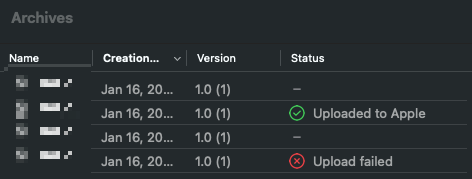
++ 지금은 앱 심사 대기중이지만..
xcode 상에서 status가 uploaded to Apple 이라 해서 꼭 성공한 것은 아니다.
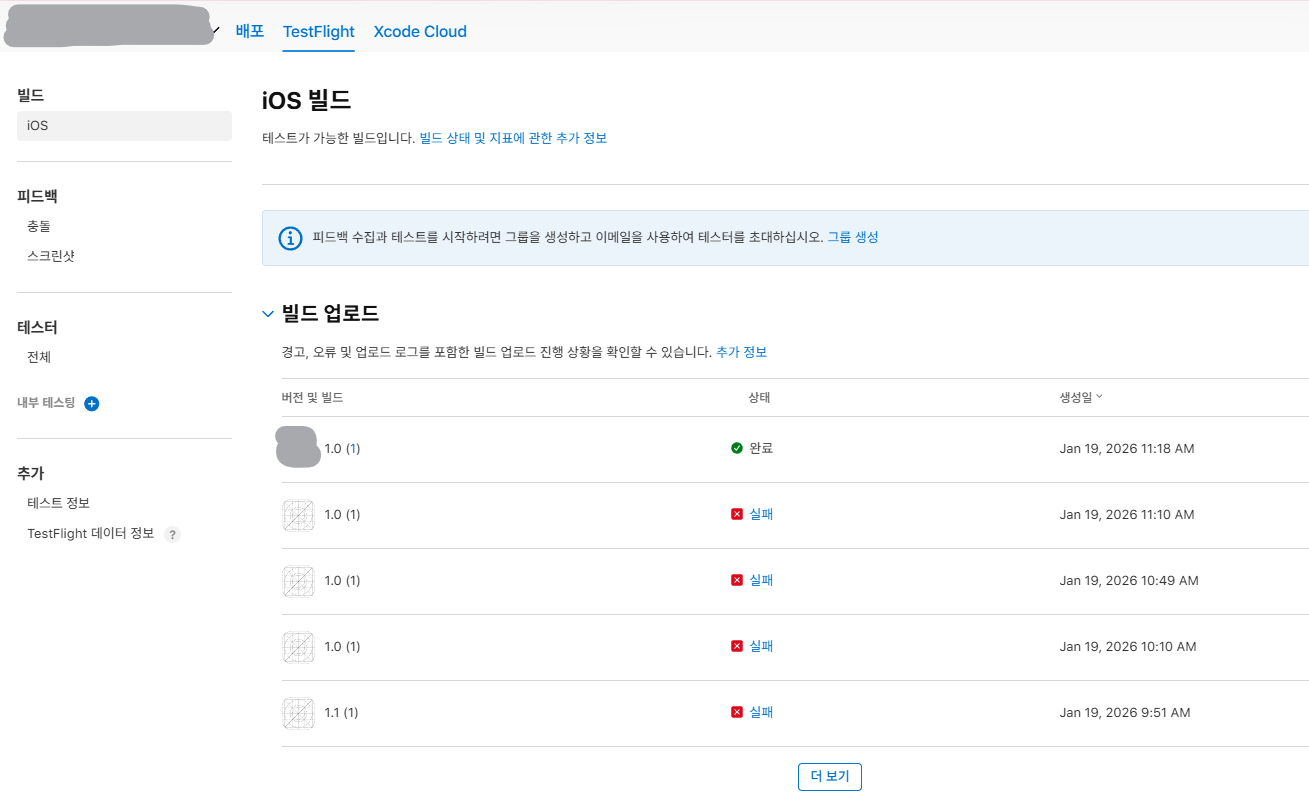
애플에 업로드가 되었다는 거지 빌드 업로드가 성공적으로 된 건 아니다.
애플 자체의 버그로 인해, 수없이 distribute 한 것들의 실패 원인(에러 로그)를 알 수 가 없었다. 저 빌드 업로드 목록 자체가 아예 뜨지 않고 빌드를 업로드 하라고 안내문구만 뜨던 상황...
사수님께서 트랜스포터로 업로드를 시도하시고 나서야, 애플 커넥트 사이트에서 빌드 로그를 볼 수 있었다ㅠㅠㅠㅠㅠㅠ
실패 원인을 확인해보니 정말 생각치도 못했던, 아주 작은 부분이 문제였고 후다닥 수정해서 다시 distribute를 했다.
'Linux & Infra > Deploy, Server' 카테고리의 다른 글
| 앱 버전 업데이트 (0) | 2026.03.19 |
|---|